
Home safety
HomeAlert
A personal safety app for your home: sign in to your secure account, then press Emergency when you need help. Your security provider is alerted silently. No loud siren on the phone.
What the app does
Emergency help from your phone, at home
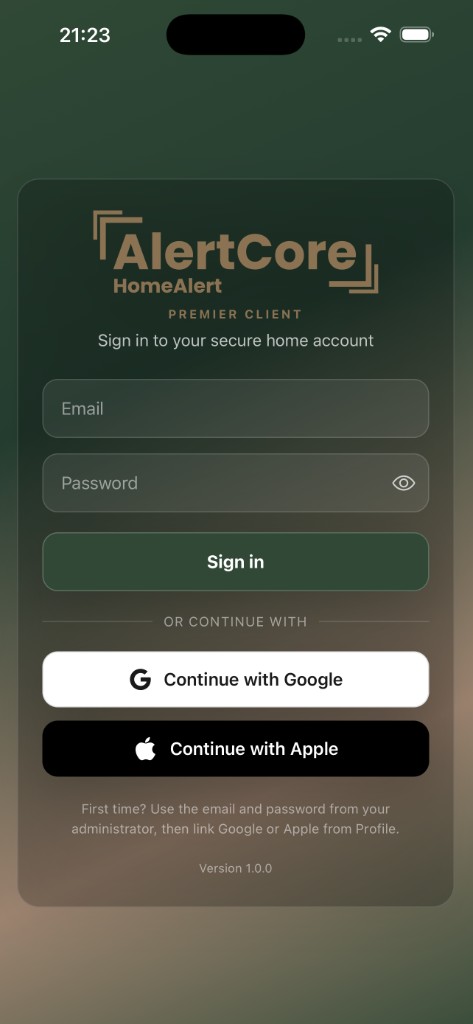
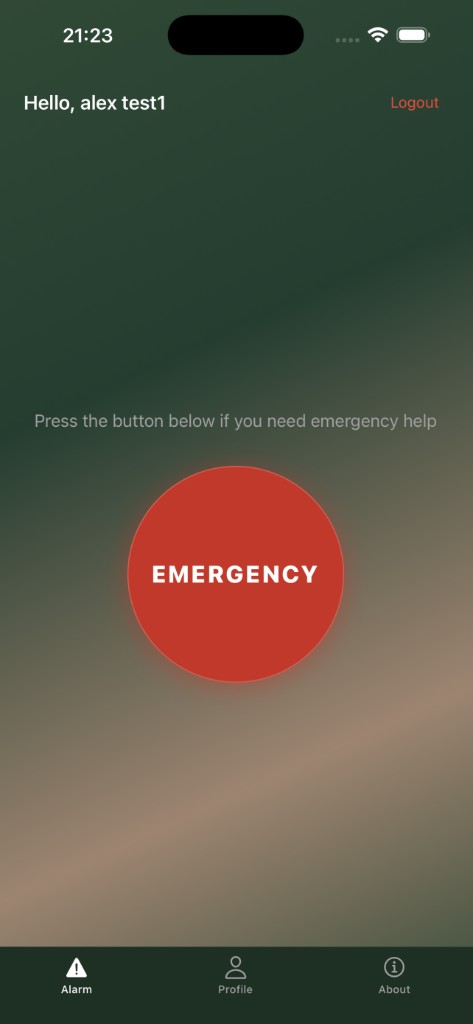
HomeAlert is for residents whose security provider supplies the service. You sign in to your secure home account with the email and password from your administrator. The main screen tells you to press the button below if you need emergency help. A large Emergency control that sends a silent panic to your security team.
You can continue with Google or Apple once your account is set up (from Profile). Home owners can register the property and add household members on the AlertCore website so everyone who should be protected can use the app on their own phone.
- Press Emergency when you need help. Designed to be obvious when it counts
- Silent panic: your security team is informed without a loud alarm on the device
- Sign in with administrator credentials, then optionally link Google or Apple
- Household members each get their own account; notifications and location support alerting
User interfaces may change as products evolve. Some screens are for illustration purposes only.
Capabilities
What you get in the app
Emergency help, one button
The Alarm screen is built around a single red Emergency control. When you need help, you press it. Your security provider is alerted quietly, without a loud siren on the phone that could escalate things in front of family or visitors.
Alerts reach your security team fast
Panic signals go to the team that protects your home or residential scheme, in line with how your service is set up. They typically receive who raised the alert and where they are, often in about a second, so they can follow your procedures.
Sign in to your secure home account
First time? Use the email and password your administrator gave you. After that you can link Google or Apple from Profile for quicker sign-in. Your residential account stays separate from ShopAssist.
Location when it matters
With location enabled, responders can see where the alert came from so help reaches the right address. Location is used for safety alerting, not to track your day-to-day routine.
Household access
Home owners and main account holders can add partners, grown-up children or others who live with you. Everyone signs in with their own email. No shared passwords.
Profile, About and notifications
Manage your account in Profile, read app information under About, and allow push notifications so messages from your security operation are not missed.
Getting started
From account to household
Register and set your password
Your administrator registers your home on the AlertCore website. You receive a welcome email to create your password, then sign in to the HomeAlert app with that email and password.
Open the app and sign in
Use Sign in on the welcome screen. Or link Google or Apple later from Profile. Each household member uses their own credentials; accounts are not shared with ShopAssist.
Emergency when you need it
On the Alarm tab, press Emergency if you need help. Allow notifications and location when prompted so your security team gets a reliable silent alert with your position.
Talk to us
Talk to us about HomeAlert
Book a short call to see how HomeAlert fits your homes, residents and security operation.
No commitment · 15-minute walkthrough · Cancel any time
Help for people at home
Panic button, location, standing down safely and household access. Step-by-step guidance is in our HomeAlert help section.